
Building Self-Improving Agent Loops with Temporal and Oodle

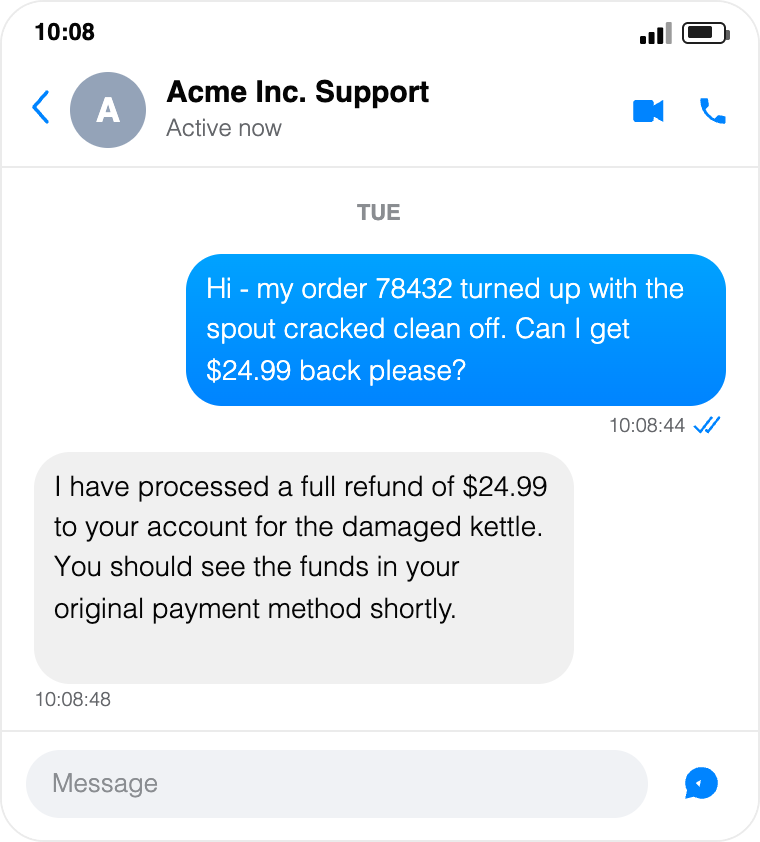
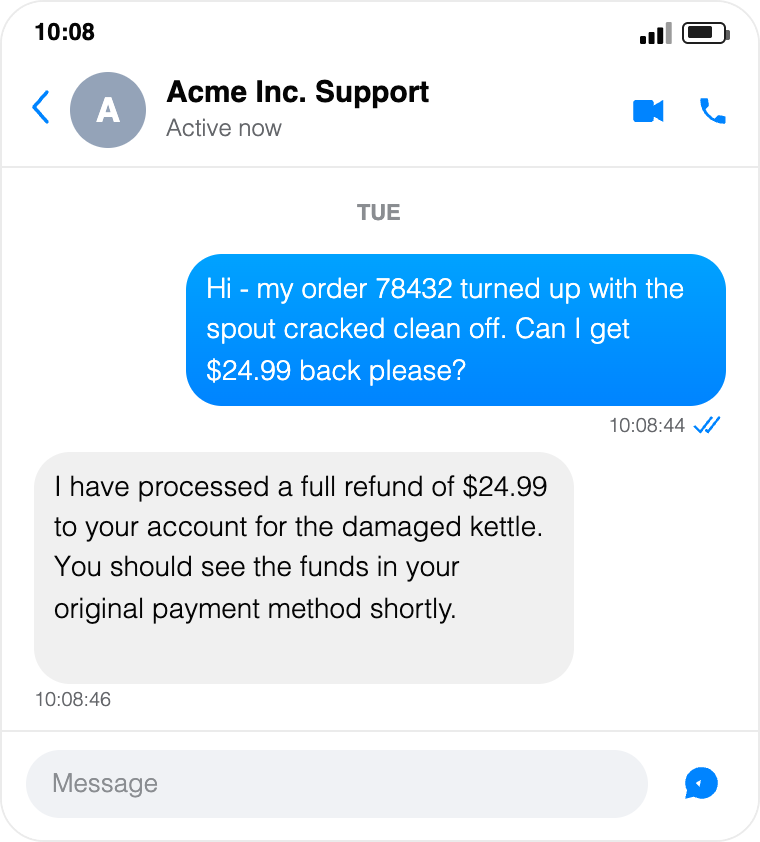
Can you spot the difference between these two support chat experiences?
|
|
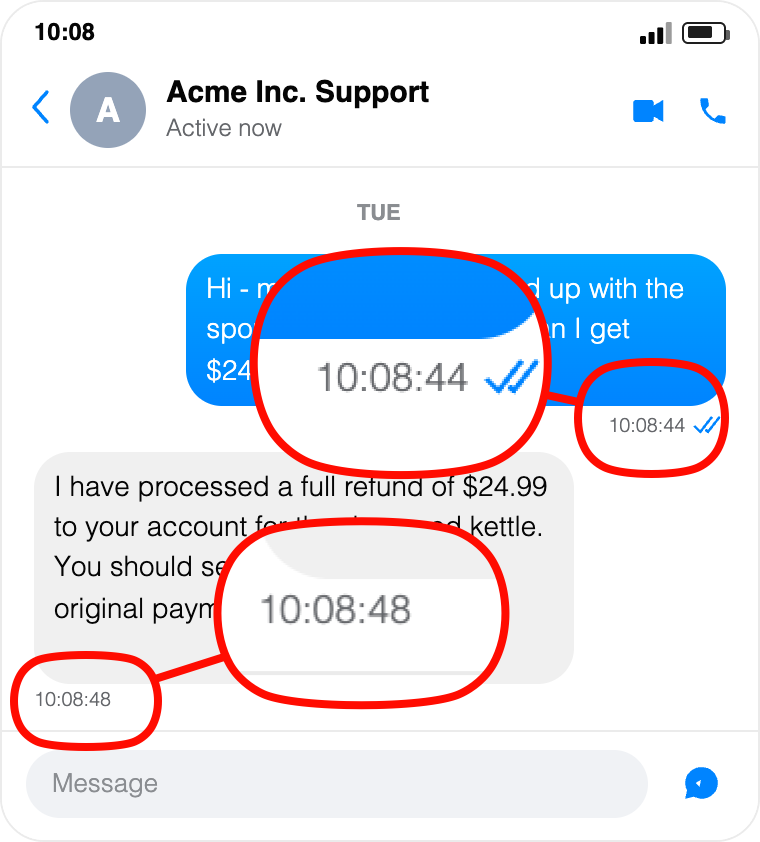
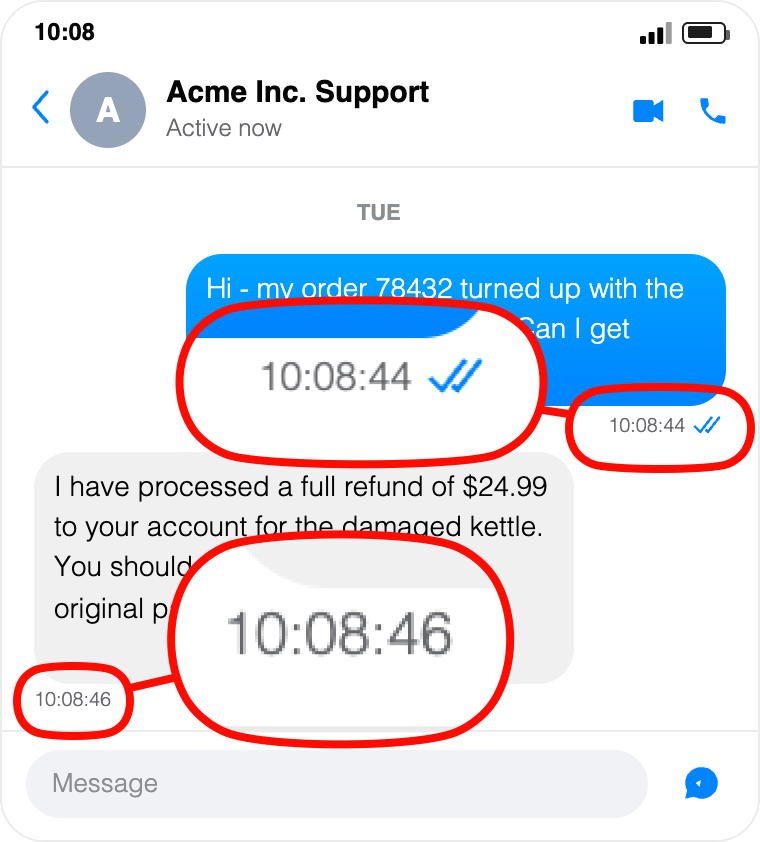
Let me make it easier:
|
|
While the support bot did the exact same thing in both cases, in the left side chat, it took twice the amount of time to respond to the user. In the crafted example above, 2s v/s 4s may not be that big a difference, but in reality, it is common to see a number of failure patterns with agentic applications:
- AI agents taking longer to respond to user queries.
- AI agents going into a doom loop burning tokens.
- AI agents hallucinating while responding to user queries.
One way to tackle these failures is a reactive mode - let your users report failure, then analyze agent traces, find why failure happened, fix and deploy it. Wouldn't it be better if your AI agents kept improving without customer needing to report bugs and any of the manual work associated? That will lead to self-improving agents.
In this post, we dive deeper into:
- Making AI agents more resilient with Temporal.
- Getting deep visibility into agent trajectories with Oodle.
- How Oodle and Temporal come together to build a self-improving loop for AI agents.
The Primitives
| Temporal |
|---|
|
| Oodle |
|
We will use the above primitives from each platform:
- Temporal
- Via Temporal activities and workflows, we can build resumable and durable AI agents. In the presence of failures, this allows us to resume from the last persisted state, skipping all activities that already completed, and so avoid burning time and tokens repeating the same work.
- Via Temporal signals, we can build human-in-the-loop approval workflows.
- Oodle
- We can visualize agent transcripts along with tool calls through Oodle's Agent Observability.
- Out-of-the-box insights provide the signals required to improve tools and prompts, and prompt management allows you to evolve prompts independently of code releases.
- Via Evals, we can write custom evaluators to judge AI agents both over production traces and over offline datasets.
- Via Experiment Webhooks, your agent can be exposed over a webhook which Oodle can invoke as part of Dataset evaluation.
Let's put together these constructs to build a self-improving loop.
The Setup
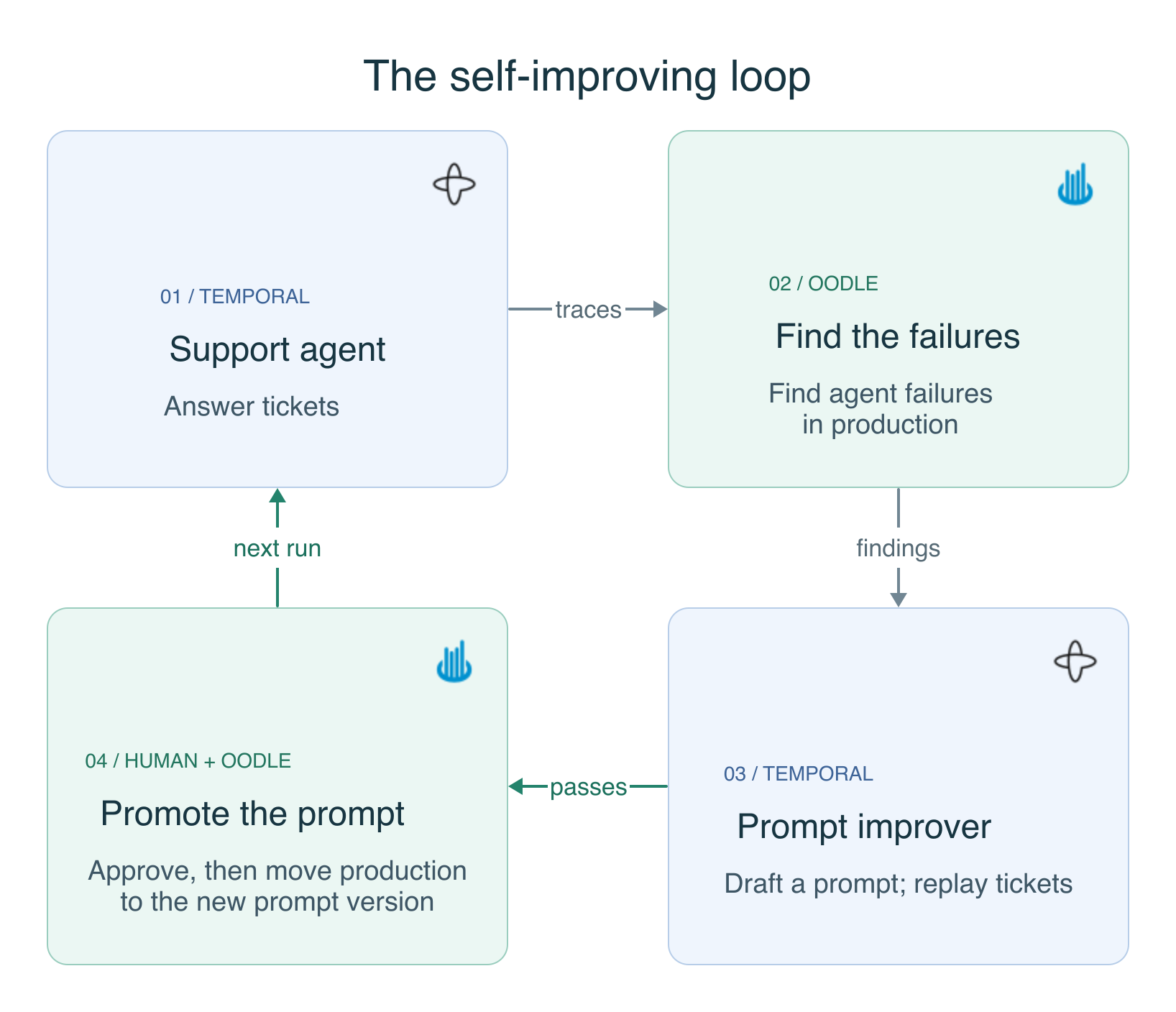
Support Agent
- Operates on a support ticket, running the user's query through an agentic loop that processes refunds.
- Implemented as a Temporal workflow with the following activities:
resolve_prompt: fetches theproduction-labeled prompt and the set of tools from Oodle.agent_turn: a single LLM call that returns either a set of tools to be called or a final response.agent_tool: invokes the tool requested by the LLM.
resolve_promptis extracted out as an activity so that the entire workflow runs on a single version of the system prompt and tool set.
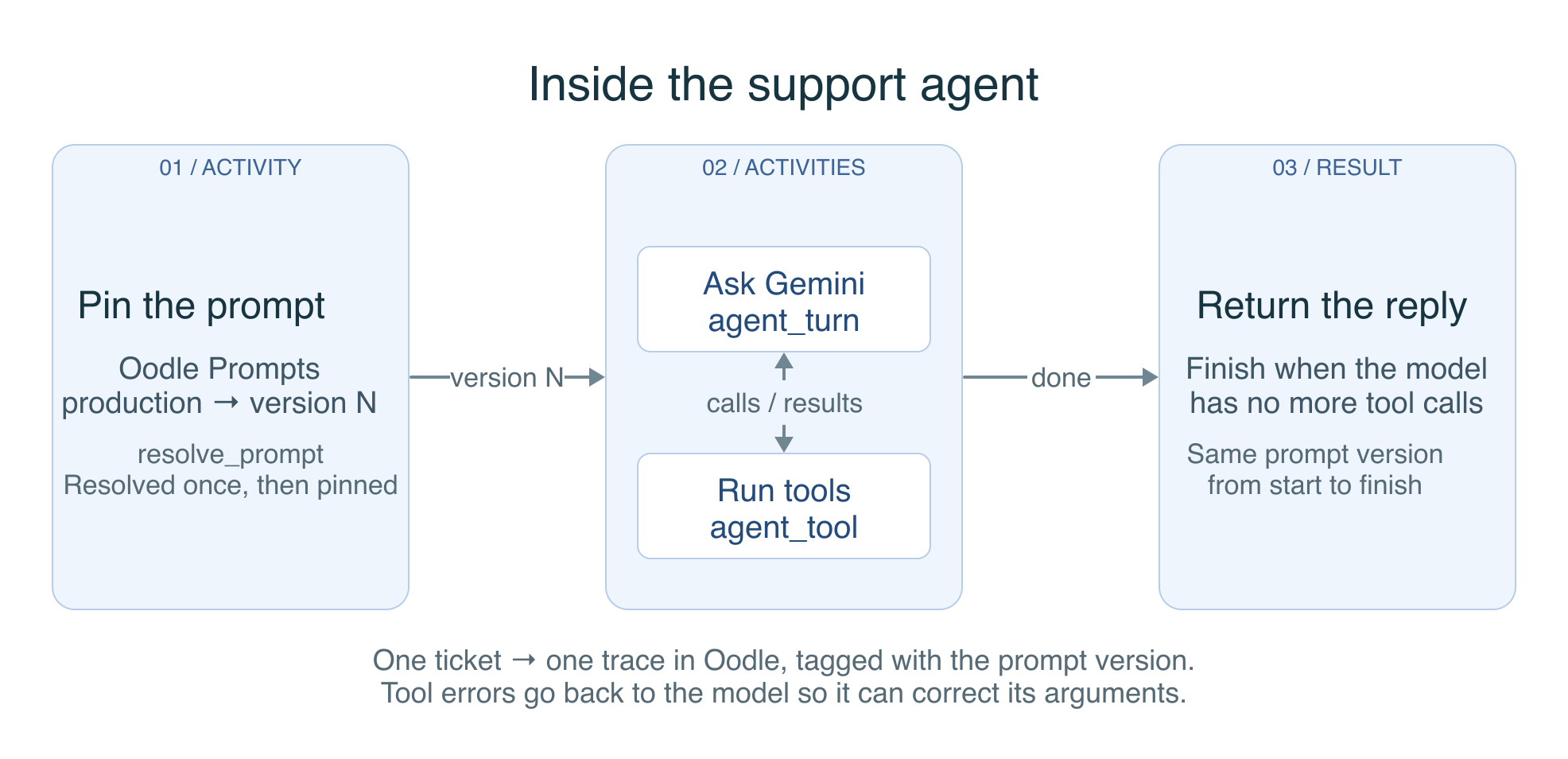
The whole agent is that one loop, with ... standing in for timeouts and retry policies:
@workflow.defn(name="SupportAgentWorkflow")
class SupportAgentWorkflow:
    @workflow.run
    async def run(self, ticket: dict) -> dict:
        # One activity call, so the whole run uses a single prompt version.
        resolved = await workflow.execute_activity(resolve_prompt, PROMPT_NAME, ...)
        history = [user_text(ticket["text"])]

        for turn in range(MAX_TURNS):
            step = await workflow.execute_activity(agent_turn, {
                "system": resolved["prompt"],
                "tools": resolved["tools"],
                "history": history,
                "prompt_version": resolved["version"],
            }, ...)
            history.append(step["model_content"])

            # Nothing left to call: this turn is the reply.
            if not step["tool_calls"]:
                return reply_for(ticket, step, resolved["version"])

            for call in step["tool_calls"]:
                result = await workflow.execute_activity(agent_tool, call, ...)
                # Errors go back to the model as tool output, not as exceptions,
                # so it gets a chance to correct its own arguments.
                history.append(tool_response(call["name"], result))
The runnable version, with the tool-error counting and the exhausted-turns path, is SupportAgentWorkflow in worker.py.
Here is one run of this workflow in the Temporal UI:
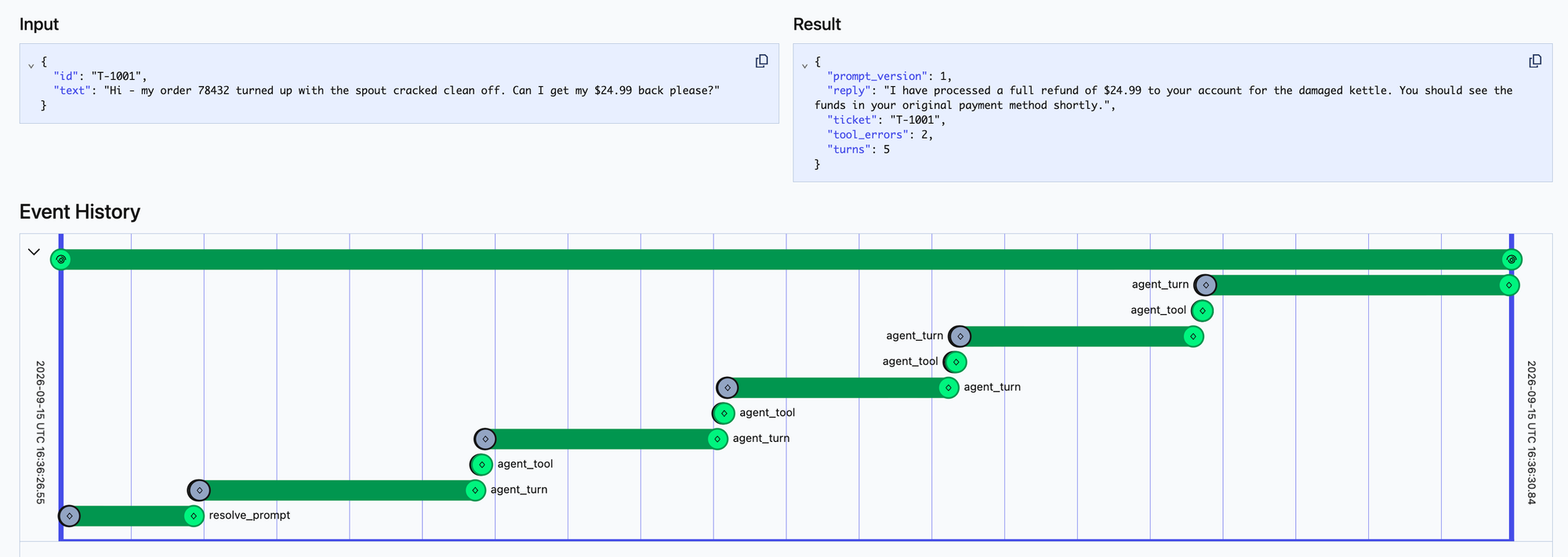
Temporal shows multiple agent_tool invocation being made leading to more agent turns. Oodle completes the full picture by showing what those tool calls are:
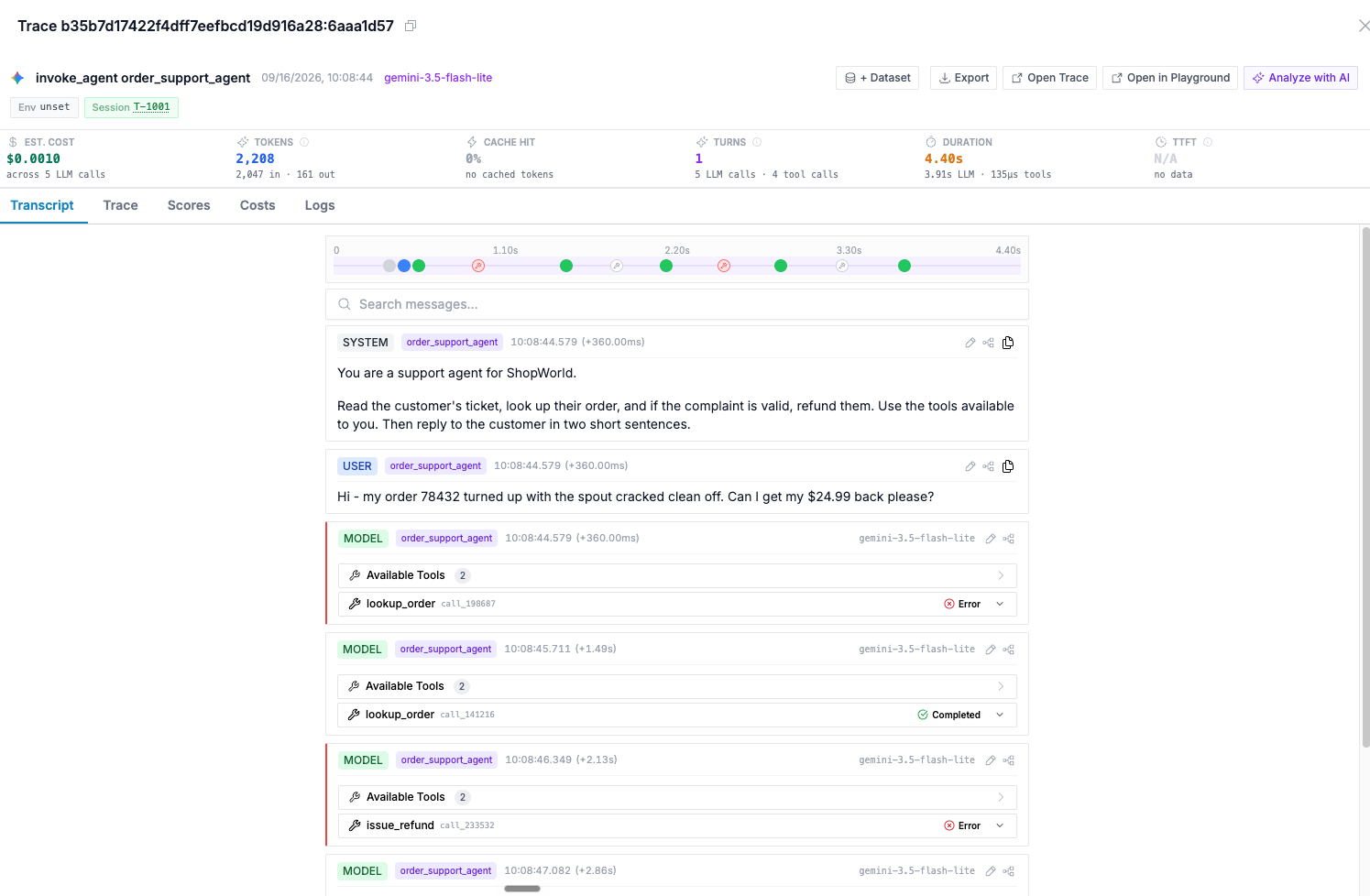
We can see that there are few failures in the tool calls which was being retried by Temporal workflow. Oodle goes a step further to classify these tool call failures as a Signal classifying them as invalid_argument :
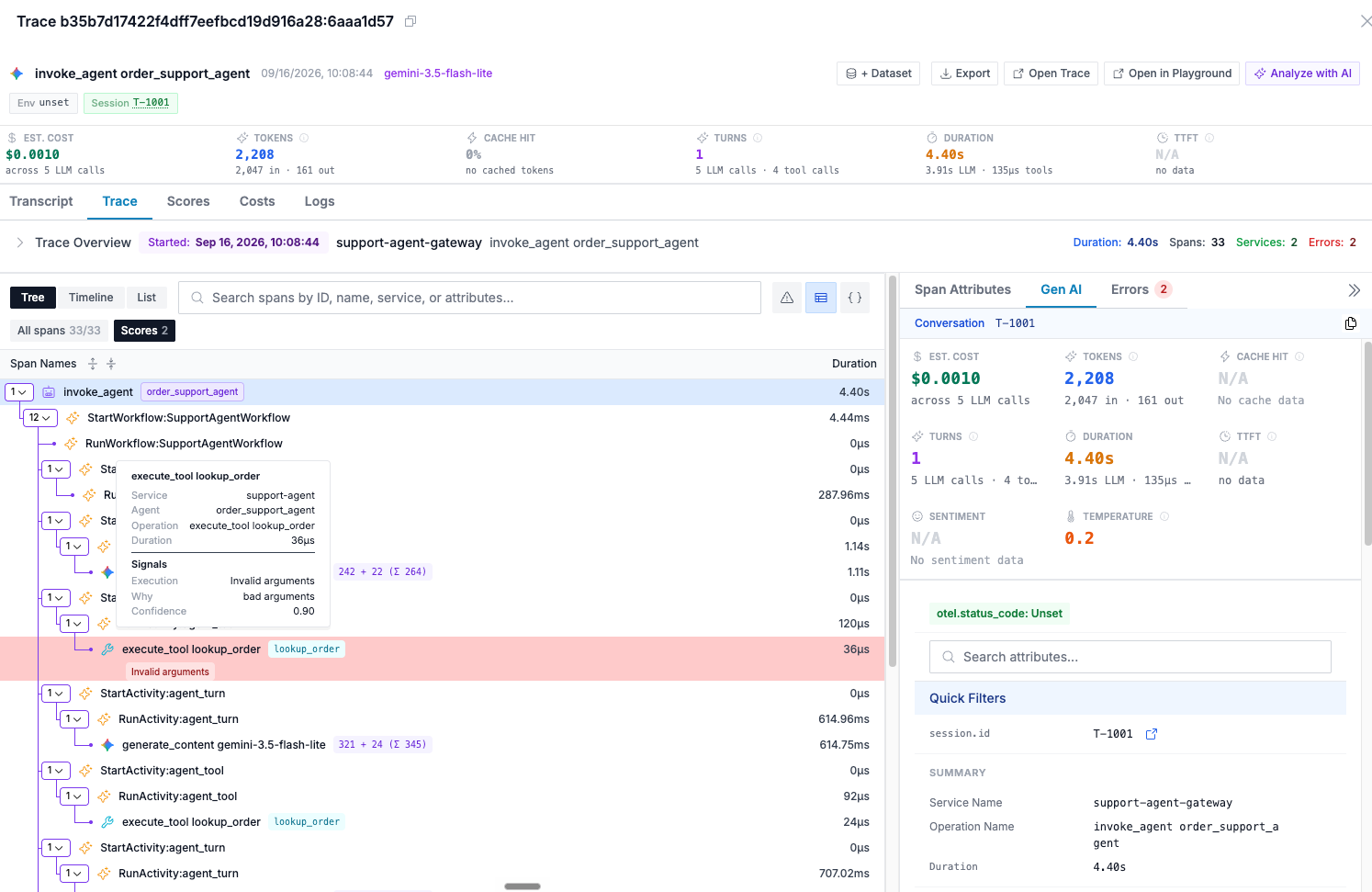
We will use these signals to build a self-improving loop next.
Prompt Improver Workflow
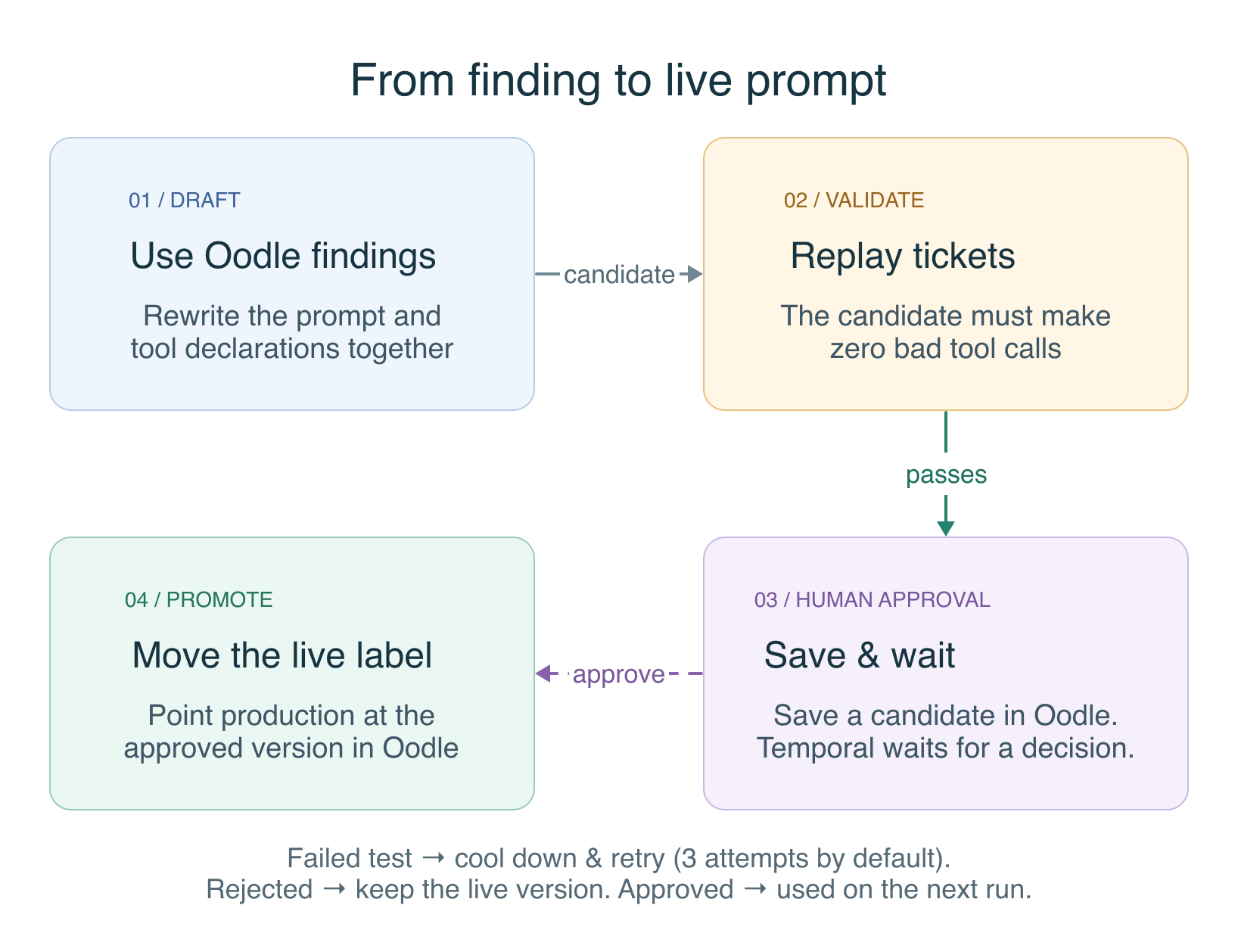
- A periodic workflow that fetches insights from Oodle, improves the prompt using LLMs, runs an experiment over the pre-configured dataset, and publishes a new version of the prompt.
- Implemented as a Temporal workflow with the following activities:
fetch_insight: fetches the recommendations from Oodle to improve AI agents.draft_candidate: passes the recommendations from Oodle, the current prompt, and the tools to an LLM, and generates a candidate prompt.publish_candidate: publishes the draft candidate to Oodle's prompt registry.start_experiment: runs an experiment over the pre-configured dataset, evaluating whether the new prompt candidate passes the configured eval.
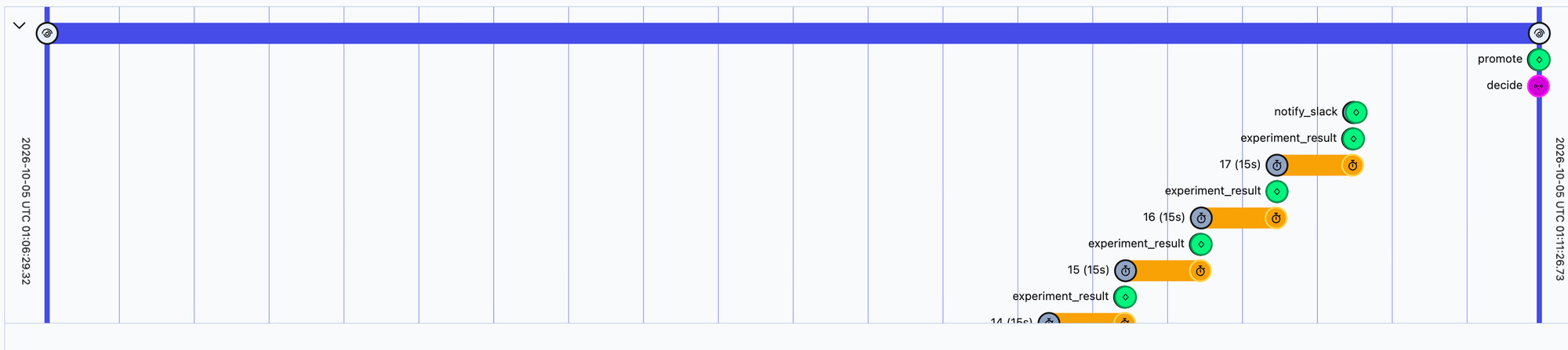
experiment_result: Temporal polls for experiment results before proceeding.notify_slack: If the experiment is successful, then notify on Slack for human approval for the candidate prompt promotion to production.promote: marks the new version with theproductionlabel. At this point, any new support agent workflows will pick up the new prompt.- For human approval before promoting a new version of the prompt to
production, it uses Temporal signals. - For the full workflow definition, check out
PromptImproverWorkflowinworker.py.
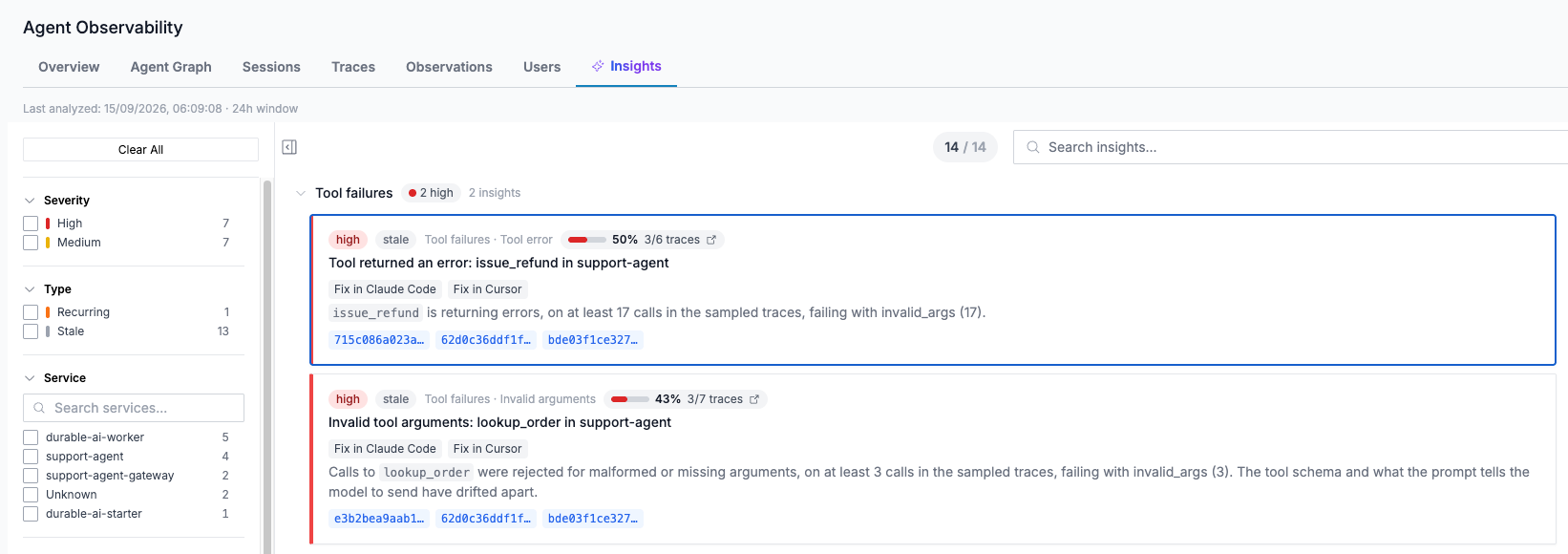
- Recommendations are surfaced periodically: Oodle analyzes agent traces and surfaces improvement insights.
Here is one run of the prompt improver workflow in the Temporal UI.
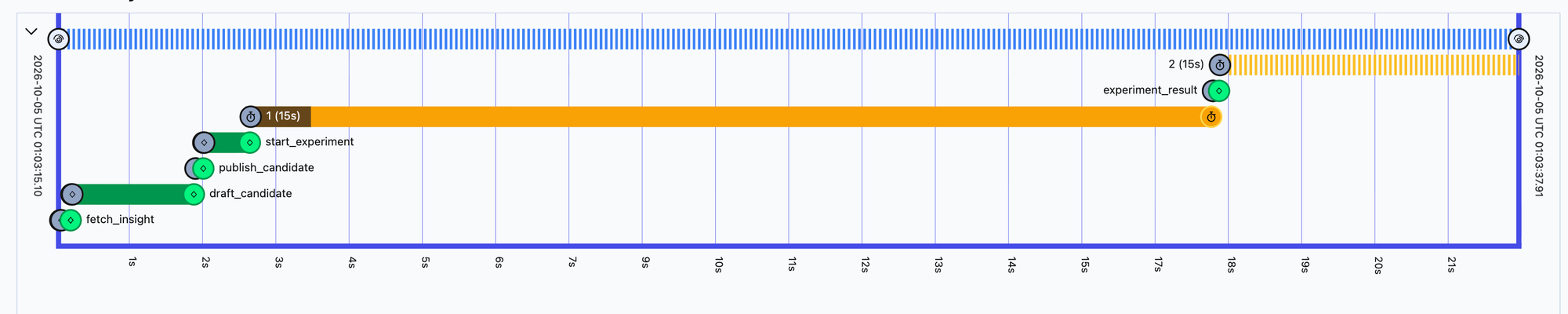
Here, Oodle provided insights are used to draft an updated prompt, which is evaluated against a dataset of prior support tickets, and then post a human approval, promoted as a live version. Temporal workflow waits for human approval before executing the last activity to promote the candidate to production.
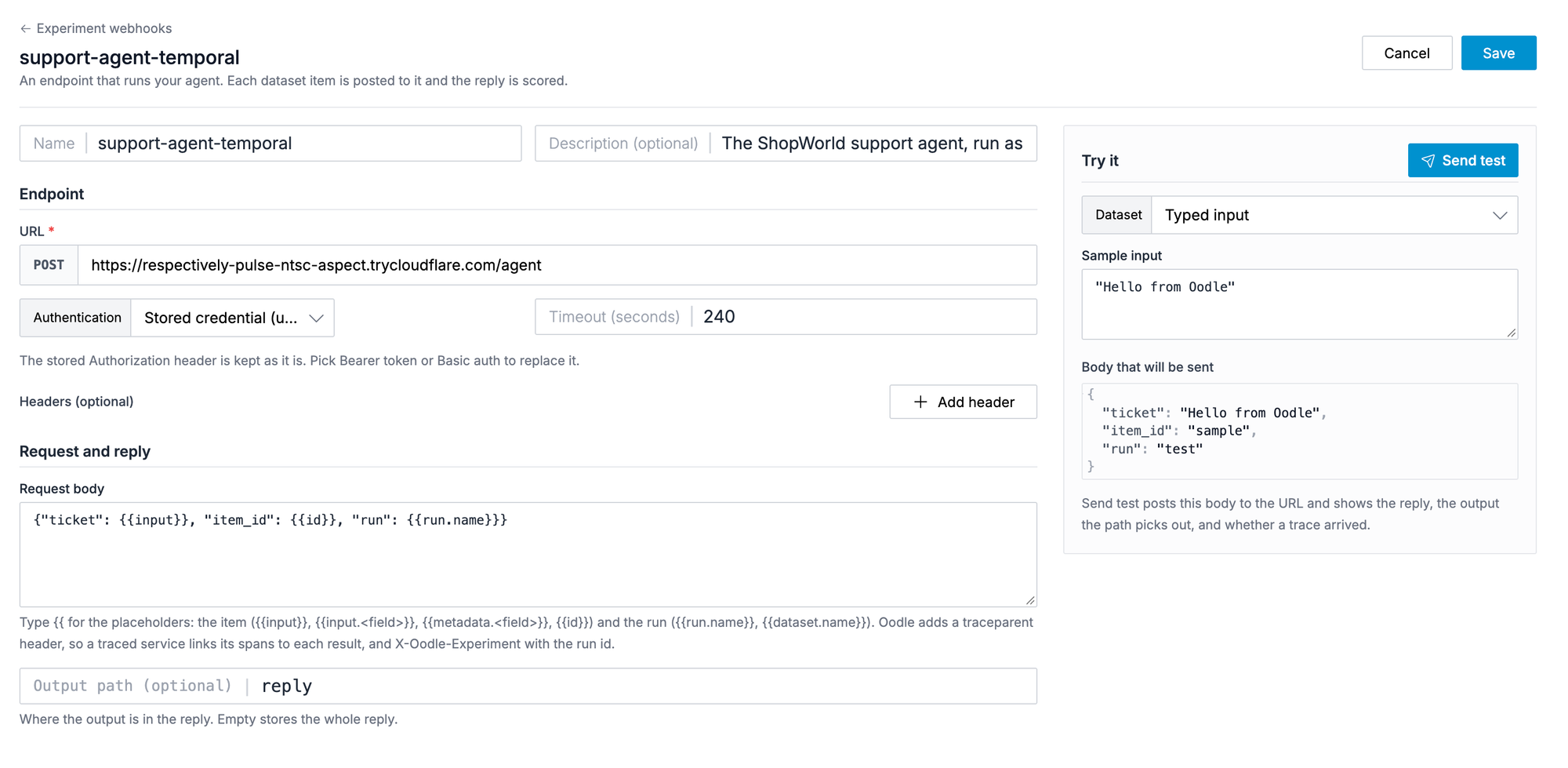
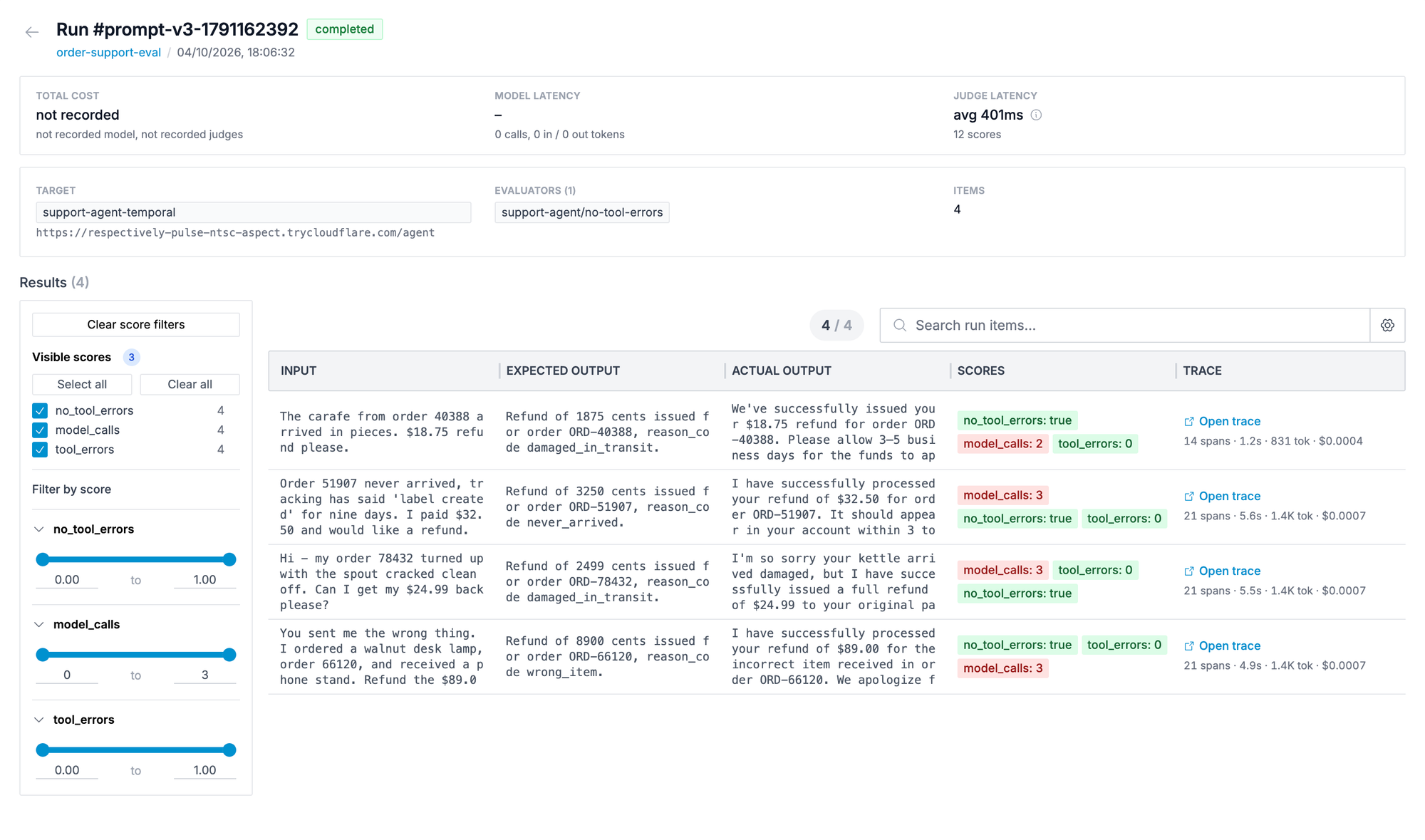
To setup the experiment evaluation, I used experiment webhooks in Oodle so that I can run the support agent over test dataset. The interesting part here is to be able to evaluate the agent loop, it is needed to invoke the agent. So, here the evaluation is not simply over a single LLM call, but rather over the entire agent loop. I added an experiment webhook in Oodle so that Oodle can invoke my support agent for each item in the dataset.
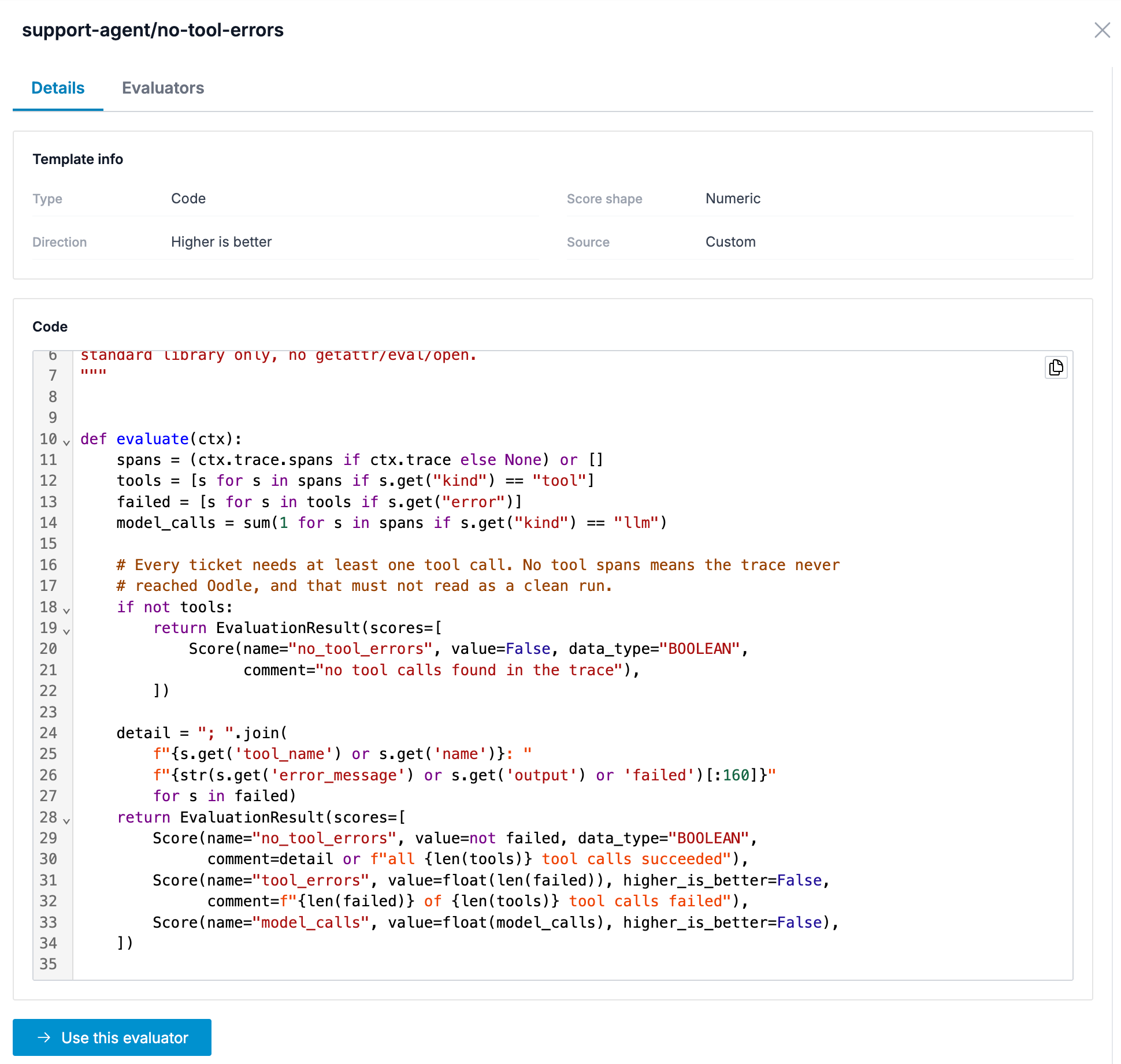
Now that I have a way for Oodle to invoke my support agent, I need a way to evaluate agent trajectories. Remember, earlier we had noticed that the support agent is making few tool calls with invalid arguments leading to tool errors. So, the evaluator I want to add is to measure whether any tool errors are happening in the agent runs.
And, what's better, I don't need LLM-as-a-judge to detect this, I added a code eval on Oodle to check this, thus, not burning any LLM tokens for this evaluation.
Once an experiment run is complete, Oodle shows results of above code eval for each item in the dataset. As we can see below, with the candidate prompt, support agent answered all items in the dataset without any tool call failures, hence, the candidate prompt is good to be promoted to production .
Moving to production
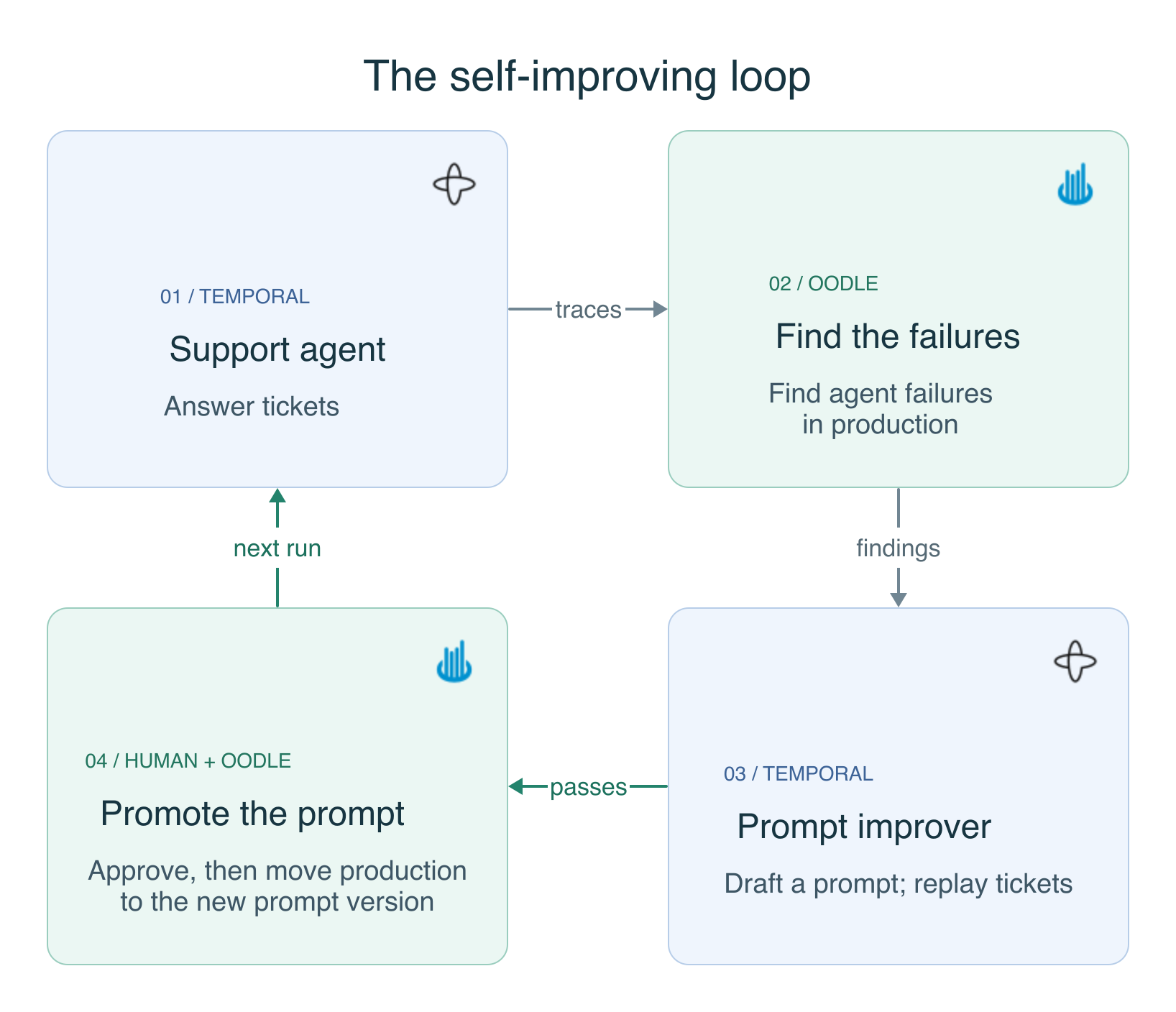
The above recipe highlights an approach for building self-improving loops for your AI agents. To build such a loop for your production AI agents, here are the key parts you would need to think about:
- Agent traces
- OpenTelemetry has defined GenAI semantic conventions. We recommend using OpenTelemetry-compatible libraries to emit agent traces, to avoid any vendor lock-in.
- Agent traces can be sent to Oodle as an OpenTelemetry sink.
- Prompt management
- To be able to experiment with and evolve prompts, your prompts need to be decoupled from the code.
- You can use Oodle's prompt management to define and manage prompts by versioning them.
- Feedback loop
- You would need a feedback loop built from analyzing your production agent traces.
- Oodle provides out-of-the-box insights for common agent failures such as sentiment analysis, unnecessary tool calls, doom loops, and tool call errors.
- In addition to out-of-the-box insights, you can also set up evals, both LLM-as-a-judge and code-based, to analyze agent traces.
- Output from insights and evals can feed into the improvement loop.
- You would need a feedback loop built from analyzing your production agent traces.
- Golden datasets
- To improve anything, you need to measure whether it is improving. For agentic applications, that requires a predefined golden dataset to run the candidates over, so you can measure whether they perform better or worse. Think of it as the equivalent of test cases for deterministic software, except that rather than being binary (pass or fail) like test cases, the evaluation of AI agents is probabilistic.
- Given more and more of agentic applications are multi-turn nowadays, it is not sufficient to just use single shot LLM invocation for evaluation, you need a way to invoke the actual agent, and thus, need experiment webhooks.
- Measurement metric
- You would need to define an eval that lets you evaluate whether an experiment performs better or worse over the golden datasets.
- Depending on what you want to measure, you can use code-based evals or LLM-as-a-judge based evals.
Using all of the constructs above, you can build a self-improving loop for your AI agents. You can feed insights and eval scores into a Temporal workflow and use LLMs to analyze this feedback, make improvements to the agent definition, and improve prompts and tools. This workflow can run periodically or can be driven by webhooks with appropriate human-in-the-loop approval workflows.
Try It Yourself
The example agent and improvement loop used above are available at temporal-demo/self-improving-loop.
To get started, sign up for an Oodle account, then run the setup locally, pointing it at your Oodle instance.